How to Get Notified When Someone Starts an X Space
Learn three ways to get notified when someone starts an X Space, including scheduled reminders, native X alerts, and Telegram or Discord delivery.
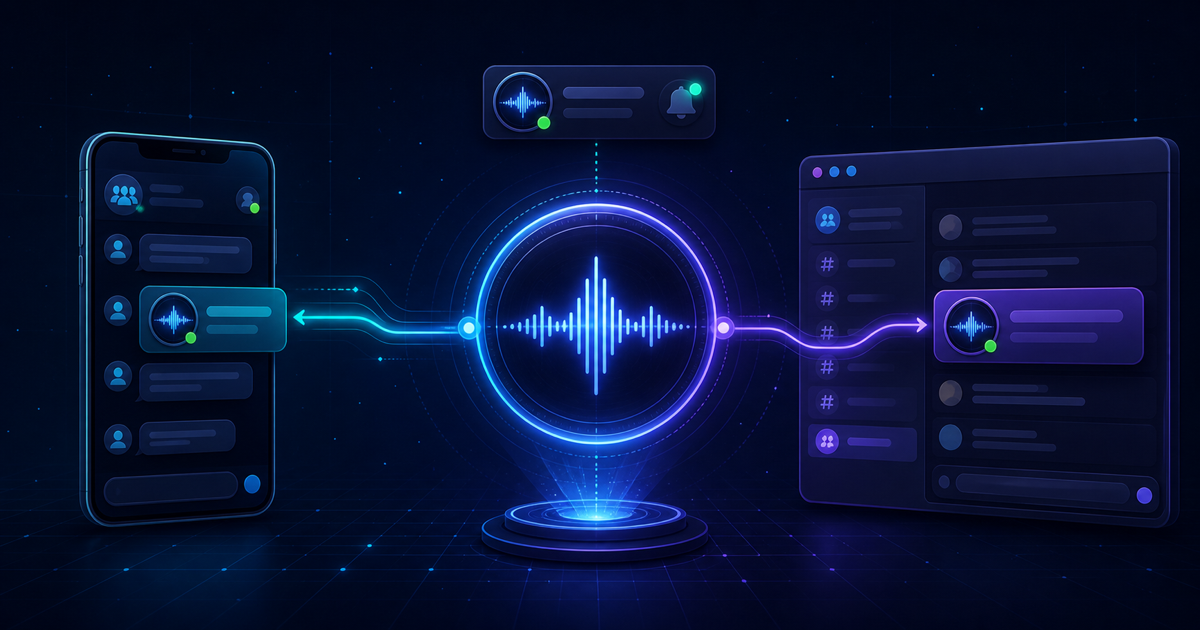
Live X Spaces can begin with little warning. If you follow several creators, projects, or market commentators, repeatedly checking your timeline is not a dependable way to know when an important host goes live.
The best notification method depends on whether you are following one scheduled conversation, want personal alerts inside the X app, or need to notify an entire Telegram or Discord community.
The quick answer
You have three practical options:
- Set a reminder for a scheduled X Space that has already been announced.
- Enable native Spaces notifications in the X mobile app for personal awareness.
- Use a dedicated alert service to deliver selected host notifications to Telegram or Discord.
Scheduled reminders are ideal for one announced event. Native X notifications are useful for personal listening. Telegram or Discord delivery is better when moderators, researchers, traders, or community members need to see the same alert.
How X Spaces notifications work
X Spaces are public live-audio conversations. A Space can be scheduled ahead of time or started spontaneously.
For scheduled Spaces, X lets interested listeners request a reminder from the scheduled Space card. When the host begins the Space, X can send push and in-app notifications. X also includes Spaces among the notification categories available in its mobile preferences. X’s official Spaces guide explains the scheduled reminder flow.
A scheduled reminder applies to one announced Space. It is not the same as continuously monitoring every Space hosted by an account.
Method 1: Set a reminder for a scheduled X Space
This is the simplest option when a host has already announced an upcoming Space.
- Find the scheduled Space. Open the host’s post containing the scheduled Space card.
- Select the reminder option. Choose the reminder or notification control on the Space card. The wording may change as X updates its interface.
- Allow mobile notifications. Your device must permit notifications from the X app for the push alert to appear.
- Open the alert when the Space begins. Select the notification to enter the live conversation.
Scheduled reminders work best for one known event and one listener. Their main limitation is straightforward: spontaneous Spaces do not have a scheduled card you can use to request a reminder.
Method 2: Enable native X Spaces notifications
X provides a general Spaces notification category in its mobile preferences. The current path documented by X is:
- Open the X mobile app. Use the account where you want to receive alerts.
- Open Settings and privacy. Select it from your profile menu.
- Select Notifications, then Preferences. Review the available push-notification categories.
- Enable Spaces notifications. Also confirm that iOS or Android allows X to send notifications.
X lists Spaces among its available mobile notification types in the official mobile notification guide. Focus modes, battery restrictions, and device-level permissions can still suppress an otherwise valid alert.
Native notifications are convenient, but they remain personal to the receiving device and account. They are less suitable when an entire community needs the same alert.
Method 3: Send X Spaces alerts to Telegram or Discord
A community alert service can monitor selected hosts and deliver a message when one of those hosts begins an X Space.
MoonAlerts monitors a curated network of X accounts and delivers detected Space alerts to a subscriber’s configured Telegram group and Discord channel. A typical alert includes the monitored host, Space title, and a direct link to the live conversation.
- Crypto and Web3 communities
- DAO moderators and project teams
- Research and trading groups
- Discord servers organizing live-event discussions
- Telegram groups sharing time-sensitive community updates
Native X notifications vs. Telegram and Discord alerts
| Option | Best for | Scheduled Spaces | Spontaneous hosted Spaces | Shared delivery |
|---|---|---|---|---|
| Scheduled X reminder | One announced event | Yes | No | No |
| Native Spaces notifications | Personal mobile awareness | Yes | May vary | No |
| MoonAlerts | Curated host monitoring | Yes | Yes, when detected | Telegram and Discord |
No notification method can guarantee that every alert will arrive without delay. Platform availability, API behavior, device settings, network conditions, and destination permissions can affect delivery.
How to configure community X Spaces alerts
- Choose the destination. Decide whether members should receive alerts in a Telegram group, a Discord channel, or both.
- Confirm the monitoring model fits. MoonAlerts focuses on hosted Spaces from its curated account network rather than every speaker appearance.
- Review how MoonAlerts works. Understand the detection and delivery flow before creating an account.
- Review the current plan. MoonAlerts Monthly is currently listed at $50 per month.
- Connect Telegram. Use the private dashboard to select a group you own or administer. No Telegram account login is required.
- Connect Discord. Create a webhook for the intended channel and save its URL through the private dashboard. Treat the webhook URL as a secret.
- Maintain destination permissions. Update MoonAlerts if the Telegram bot is removed or the Discord webhook is regenerated.
Troubleshooting missed X Spaces notifications
- The Space was not scheduled
- A scheduled reminder cannot cover a spontaneous event you never subscribed to.
- The account was a speaker, not the host
- MoonAlerts monitors hosted Spaces from its curated account list.
- Mobile notifications are disabled
- Review both X preferences and device-level notification permissions.
- Focus mode suppressed the alert
- Focus, Sleep, and Do Not Disturb modes can hide or delay mobile notifications.
- The Telegram destination changed
- Confirm the official MoonAlerts bot remains in the selected group and can post.
- The Discord webhook was deleted
- A deleted or regenerated webhook must be replaced in the MoonAlerts dashboard.
- A third-party platform was unavailable
- X, Telegram, Discord, networks, and hosting services can experience temporary interruptions.
For destination or account assistance, use MoonAlerts Support. Never include passwords, wallet seed phrases, payment-card details, bot tokens, or Discord webhook URLs in a support request.
Which notification method should you choose?
Use a scheduled reminder when you know about one upcoming Space and only need a personal alert. Use native X Spaces notifications when you mainly listen through the mobile app. Use Telegram or Discord delivery when a community needs shared alerts for Spaces hosted by a curated set of accounts.
Many listeners benefit from combining methods. A scheduled reminder provides a direct personal notification, while a shared channel alert keeps the wider community informed.
Frequently asked questions
Can I get notified whenever someone starts an X Space?
X supports reminders for scheduled Spaces and provides Spaces notification preferences. For shared community alerts, MoonAlerts can monitor hosted Spaces from accounts in its curated network.
How do I turn on X Spaces notifications?
Open the X mobile app and navigate to Settings and privacy, Notifications, and Preferences. Review the Spaces and push-notification options, then confirm X notifications are allowed in your phone settings.
Can X Spaces notifications go to Discord?
X does not natively route a Space reminder into a Discord server. MoonAlerts can send detected alerts for curated monitored hosts to a configured Discord channel webhook.
Can I receive X Spaces alerts in Telegram?
MoonAlerts subscribers can connect one Telegram group and receive alerts for detected Spaces hosted by monitored accounts.
Does MoonAlerts detect when someone joins a Space as a speaker?
No. MoonAlerts is designed to detect when an account in its curated list hosts a Space, not every occasion when that account joins another host’s Space.
Are X Spaces alerts guaranteed to arrive instantly?
No. Platform availability, API behavior, network conditions, device settings, Telegram permissions, and Discord webhook status can affect notification delivery.
Is MoonAlerts affiliated with X?
No. MoonAlerts is an independent alerting service and is not affiliated with or endorsed by X Corp.
MoonAlerts is an independent service and is not affiliated with or endorsed by X Corp., Telegram, or Discord.